
How the Su-vastika Bluetooth & Wi-Fi Smart UPS App Works
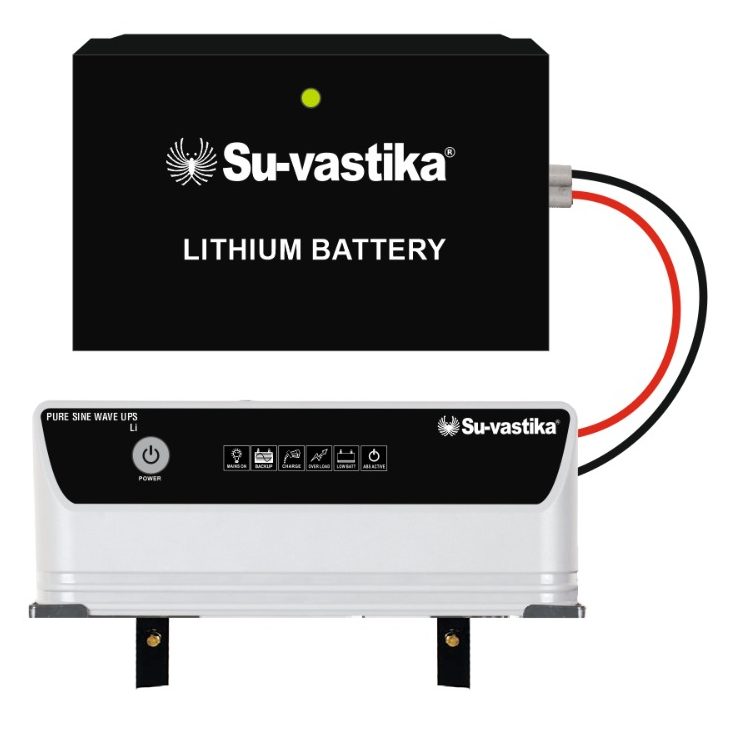
For decades, a home inverter was a “fit it and forget it” box. You only remembered it existed when the lights flickered or the battery died at the worst possible moment. Su-vastika changes that completely. Every modern Su-vastika Inverter, UPS, Solar Hybrid PCU and Lithium Energy Storage System can now talk to you — over Bluetooth when you are nearby, or over Wi-Fi from anywhere in the world — through one simple mobile app on Android and iOS.
One app, two ways to connect
When you open the Su-vastika app, the first thing it asks is how you want to connect. This is the heart of the system — the same app works two ways, so you are covered whether you are standing next to the unit or sitting in another city.
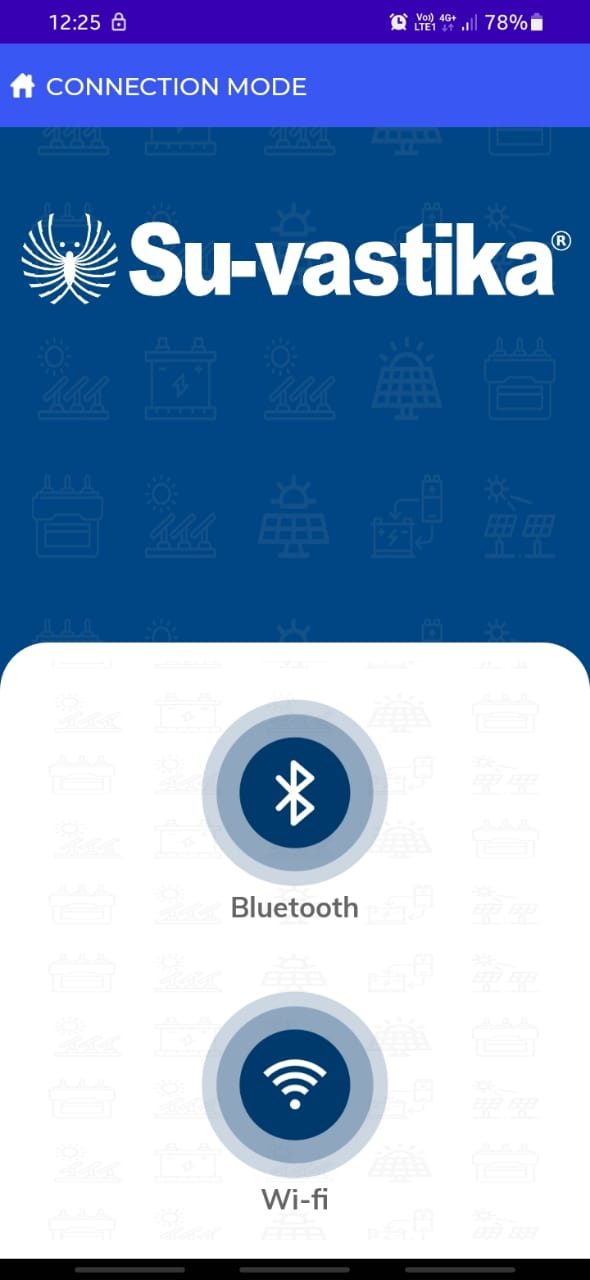
Bluetooth — instant & local: a simple one-tap setup with no sign-up. Perfect for quick checks and settings while you are near the inverter, and for dealers verifying a unit at the time of installation.
Wi-Fi — monitor from anywhere: a quick sign-up links your mobile number or email to your Su-vastika account via OTP. After that, you can watch your power backup in real time from your office, another city, or on holiday.
What you can actually see
Once connected, the app’s dashboard turns your inverter into a live, readable instrument. Instead of guessing from a row of blinking LEDs, you see the real numbers — the same information an engineer would look for — in plain, easy tiles. The main screen shows your current operating mode (Mains Mode or UPS / Battery Mode) along with the live status of your system:
- Battery charge level & health — know exactly how much backup you have left and how your battery is ageing.
- Input & output voltage, current and frequency — see the quality of power coming in and going out.
- Load status — how much of your inverter’s capacity you are currently using.
- Grid status & automatic switchover — watch the unit shift to battery the instant mains voltage dips too low or climbs too high, with zero switchover time.
- Battery type setting — Tubular, SMF or LiFePO4 lithium, selected in software with no fiddly DIP switches.
- System temperature & overall health — early warning before a small issue becomes a breakdown.
Built on a patented idea: Su-vastika introduced a USB port on the back panel of the UPS. Through it, the unit’s parameters can be read, settings changed, and the firmware even upgraded — and a regular UPS can be turned into a smart Bluetooth/Wi-Fi UPS later simply by adding an adapter. The Indian Patent Office has granted Su-vastika a patent for this IoT-based system.
Control, not just monitoring
This is where the Su-vastika app goes further than a typical “view-only” monitor. You can act on what you see — without walking over to the unit.
Reset an overload from your phone
Plug in too many appliances and the app sends an instant pop-up overload warning. If the load is not reduced, the UPS protects itself by going into hibernate mode. Normally you would have to walk to the inverter and press the physical reset button. With the app, you simply reduce the load and tap the on/off switch on screen — the reset happens remotely. No more crouching behind the unit.
Clear a short circuit remotely
If a short circuit trips the UPS, you can reset it straight from the mobile app instead of going to the machine — a genuinely unique feature of the Su-vastika inbuilt lithium UPS app.
Your warranty lives inside the app
No more lost paper cards or arguments about purchase dates. Su-vastika builds a digital warranty into the product itself. It is linked to the microprocessor on the main circuit board and starts automatically the moment the battery is connected, then counts down live — showing the remaining warranty in months, days, hours and minutes. You (or your dealer) can check the exact status any time, right from the app.
Manuals and support, built in
Every product carries a QR code, and the app turns it into your support desk. You can download the latest user manual straight to your phone — no paper booklet to lose — and log and track service complaints by scanning the QR code, which also confirms your product is genuine.
Getting started in five steps
- Download the app from the Google Play Store (Android) or the Apple App Store (iOS).
- Register and log in using your email or phone number.
- Scan the QR code on your Su-vastika unit to link the product to your account.
- Choose Bluetooth or Wi-Fi depending on whether you are nearby or remote.
- Monitor & control — track live parameters, change settings, reset overloads and check your warranty.
Why it matters
A power backup system is only as good as your confidence in it. By putting real-time monitoring, remote control, digital warranty and instant support into one simple app, Su-vastika removes the guesswork from power backup. You get fewer surprises, faster fixes and a longer life from your inverter and battery — whether you are a homeowner who wants peace of mind or a business that cannot afford downtime. That is what it means to give your inverter a heart.

Explore Su-vastika’s Bluetooth & Wi-Fi enabled lithium UPS range at suvastika.com/products and see the app in action.
Part of the Series
Complete Guide to Lithium Batteries for Home Inverters in IndiaExplore Products
Su-vastika Lithium Batteries
25+ patents · Made in India · 10,000+ installations