
Inverter or UPS Not Working? Troubleshooting Guide: 6 Common Problems & Fixes
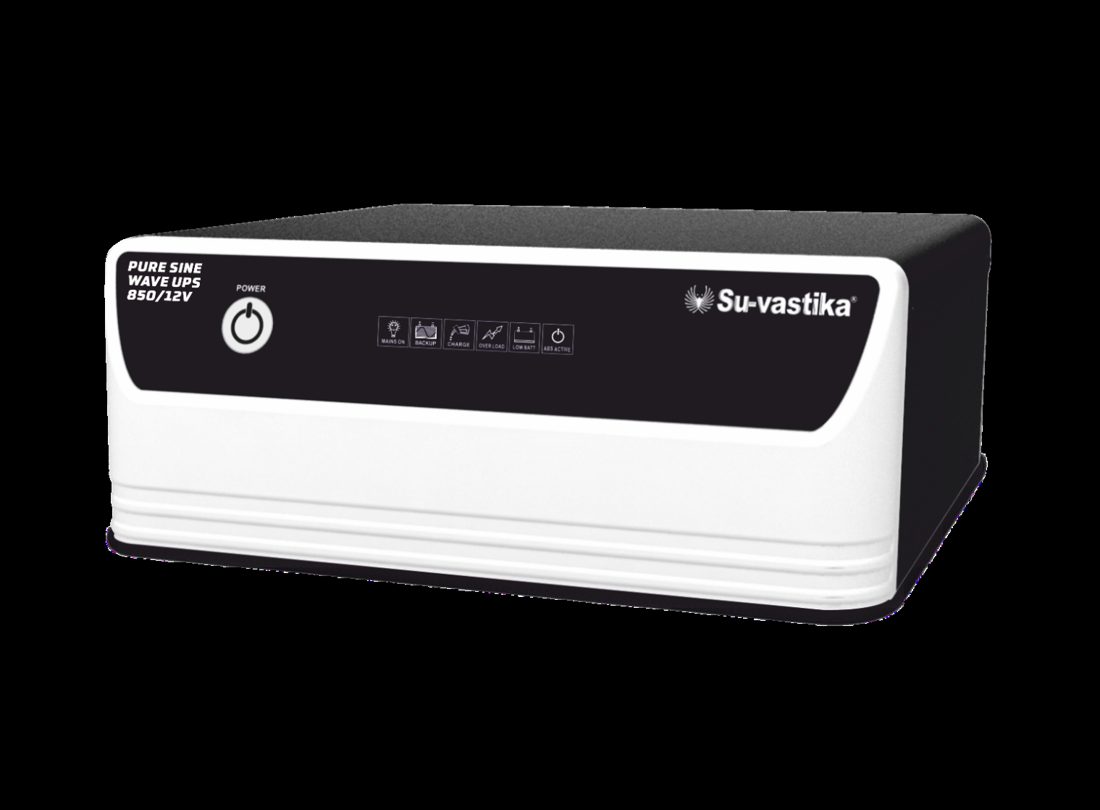
Inverter or UPS not working? Before you call a technician, most problems come down to six causes: no output, battery-low shutdown, overload, short circuit, mains not sensing, or a tripped MCB. This guide — based on Su-vastika’s own service training manual — shows you how to identify each one from the warning lights and fix what is safely fixable at home.
At Su-vastika’s service centres we see the same handful of complaints again and again — and in a large share of cases the inverter itself is perfectly fine. A loose battery terminal, an overloaded socket or a tripped MCB gets reported as “inverter dead.” This troubleshooting guide is taken from the same service manual we use to train our own engineers, written in plain language so you can diagnose the problem yourself — and know when to stop and call a professional.
⚠️ Safety first: switch the inverter OFF and disconnect it from the mains before touching any wiring. Batteries can produce explosive gases — never work on them near sparks or flames. If you are not comfortable with electrical work, stop and call a qualified technician. Never open the inverter cabinet yourself.
First, read the warning lights
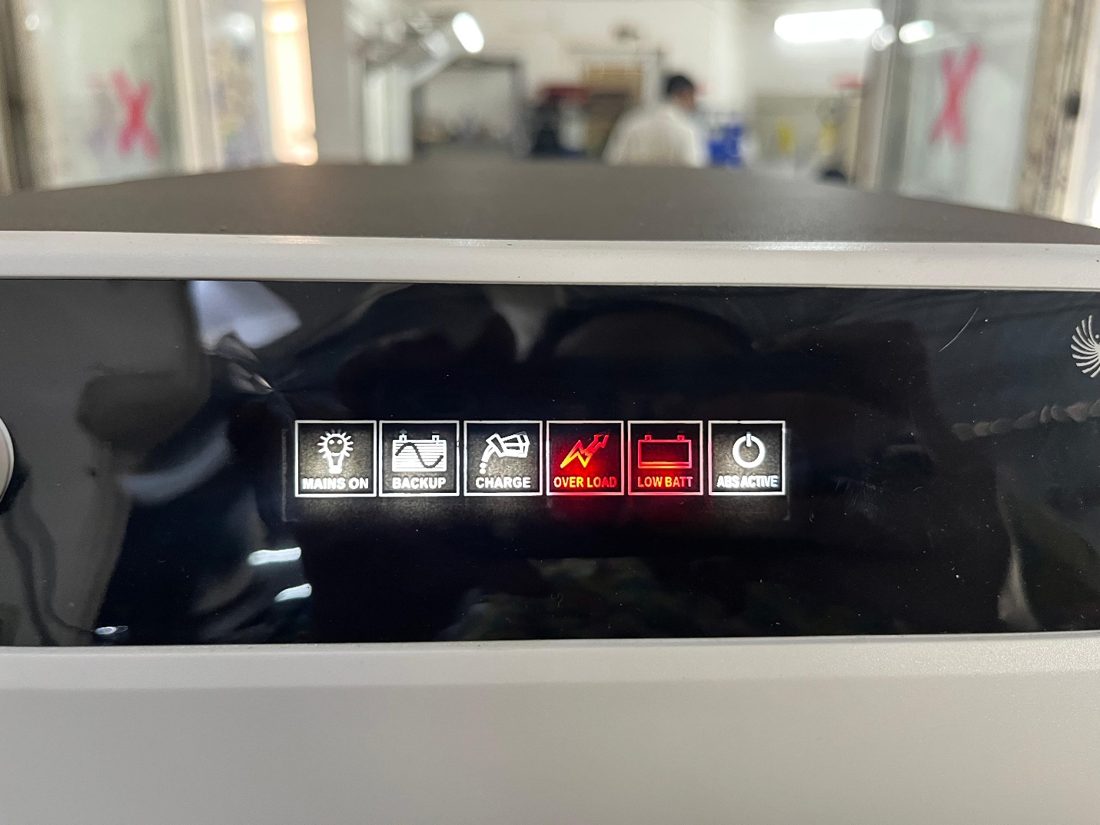
Every Su-vastika inverter/UPS tells you what is wrong through its front-panel indicators — Mains On, Backup, Charging, Overload/Short-circuit, Battery Low and ABS Active. The light that is glowing (or blinking) points you straight to the right section below.
The 6 most common inverter/UPS problems
| Symptom | Most likely cause | First thing to try |
|---|---|---|
| 1. No output at all | Switch off, loose battery wire, blown fuse, dead battery | Check switch, battery terminals and fuse |
| 2. Battery-low shutdown | Weak/aged battery, too much load, charging fault | Reduce load, charge 6–8 hours with no load |
| 3. Overload warning / beeping | Load above rated capacity, motor/AC startup surge | Unplug non-essential appliances |
| 4. Short-circuit shutdown | Faulty appliance, damaged cable, swollen battery | Restart with no load, reconnect devices one by one |
| 5. Mains not sensing | Power cut, loose input cable, tripped MCB, voltage out of range | Check other appliances, input cable and MCB |
| 6. Mains MCB keeps tripping | Overload, short circuit, worn-out MCB, high surge current | Reconnect appliances one by one to find the culprit |
1. No output voltage — inverter seems dead
Check the obvious first: is the inverter’s power switch ON? Are the battery cables tightly connected to both the inverter and the battery terminals? Clean off any white/green corrosion on the terminals — corrosion alone can kill the connection. Check the fuse and replace a blown one with the same type and rating.
Then check the battery: a weak or undersized battery may not deliver enough power. If you have a multimeter, check the battery voltage — if it is far below normal, charge the battery fully or get it tested under load. Finally inspect the wiring between battery and inverter for loose or damaged wires. If everything looks right and there is still no output, the fault is internal — call a technician.
2. Battery-low shutdown
The inverter cuts off to protect the battery from deep discharge. Work through these steps:
- Reduce the load: disconnect non-essential devices so the load is well within the rated capacity.
- Restart: switch off, disconnect from mains for 10–15 seconds, reconnect and switch on.
- Check battery connections: tighten and clean loose or corroded terminals.
- Charge properly: let the battery charge 6–8 hours with no load connected. A healthy, fully charged 12 V battery should read about 12.6–13.2 V; if it reads below 11 V, the battery is likely failing.
- Replace if old: a battery that can no longer hold charge must be replaced with the same specification.
- Keep it cool: high ambient temperature cuts battery performance — install the system in a ventilated spot.
If a known-good battery still won’t charge, the charging circuit may be faulty — that is a service-centre job. Also read our guide on why an inverter doesn’t charge the battery and how charger capacity and charging time really work.
3. Overload warning — beeping or red light
If the inverter shuts down, beeps continuously or shows the red OVERLOAD light (as in the photo above), it is delivering more power than its rating. Remember that motors, refrigerators and air conditioners draw a high surge current at startup — several times their running power — which can momentarily exceed the inverter’s capacity.
Unplug non-essential appliances and run only what matters. Test appliances one by one — a single faulty device drawing abnormal current can cause repeated overloads. And size the system right in the first place: our inverter overload guide shows how to add up your wattage correctly. If overloads keep happening even on minimal load, there may be an internal fault — and if you ever notice burning smells or sparking, disconnect immediately and call a technician.
4. Short-circuit shutdown
A short circuit is almost always outside the inverter. Switch the UPS off, unplug everything, and restart it with no load — if it runs fine, one of your devices or cables is the culprit. Inspect each appliance for burnt smells, frayed cables or visible damage, and test them one by one. Check extension cords and connectors too — replace anything damaged. A swollen, leaking or corroded battery can also trigger it. If the UPS still indicates a short circuit with nothing connected, the fault is internal — do not open the unit; contact service.
5. Inverter not sensing mains — battery never charges
The inverter behaves as if the power is cut even when it isn’t. Confirm mains is actually available (do other lights work?). Then check that the input cable is firmly seated at both the wall socket and the inverter, look for a tripped MCB or blown fuse in your electrical panel, and try a different socket. Mains voltage that is too low or too high is also rejected — Su-vastika inverters charge over an unusually wide window (down to about 100 V), but a multimeter check of the socket voltage settles it. Still nothing? The input-sensing section may be faulty — service-centre job.
6. Mains MCB keeps tripping
A tripping MCB means too much current is flowing: the load exceeds the MCB’s rating, a wire or appliance is shorting, a motor/compressor is drawing a heavy startup surge — or the MCB itself is simply worn out. Disconnect all appliances and reconnect them one by one to find the offender, inspect the wiring for loose connections or signs of burning, and if everything else checks out, have the MCB replaced with a new one of the same rating.
💡 The permanent fix: most of these problems trace back to ageing lead-acid batteries and undersized systems. A lithium inverter with a proper BMS protects itself against deep discharge, overload and short circuit automatically — see our guide to the best lithium inverter in India.
Frequently asked questions
Tired of inverter problems? Upgrade to a self-protecting lithium system.
See Su-vastika lithium inverters Get service supportRelated Su-vastika guides
- Why is my inverter not charging the battery?
- How to fix an overload problem in inverter/UPS
- Inverter/UPS charging explained: capacity, time, ATC & battery life
- Best lithium inverter in India — buyer’s guide
Su-vastika in the news: Business Standard — Su-vastika launches up to 500 KVA Lithium Battery UPS. · lithiuminverter.in — Top 6 EV scooter brands in India 2026: sales vs complaints, by Kunwer Sachdev

Note: Kunwer Sachdev is the founder of Su-Kam Power Systems but is no longer associated with Su-Kam in any capacity. He currently mentors Su-vastika.
From Kunwer Sachdev’s Network
Want to compare prices before you buy?
India’s independent price-comparison and buying-intelligence hub for inverters, batteries and solar — zero affiliate bias.
➤ Compare inverter & UPS prices
➤ Lithium vs lead-acid — full guide
➤ Free backup calculator (lab-tested data)
The story of Kunwer Sachdev — 76+ patents, India’s first plastic-body inverter, and the journey that brought solar into millions of homes.
➤ Pioneer timeline of firsts
➤ Video library — the work in his own voice
Part of the Series
Solar PCU & MPPT Charge Controllers: Complete GuideExplore Products
Su-vastika Solar PCU
25+ patents · Made in India · 10,000+ installations